How a Legal Technology Provider Automated Its Court Data Reporting
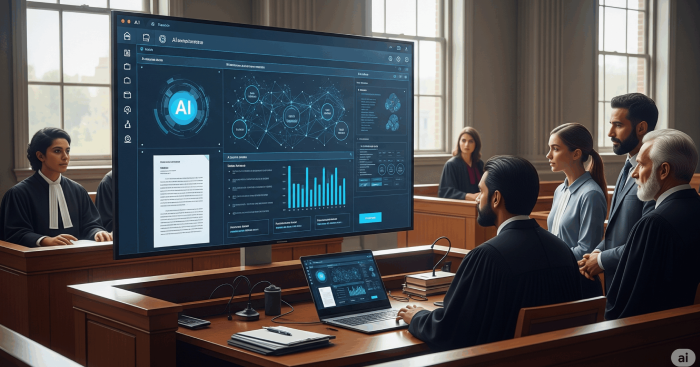
A legal technology provider runs a platform rich in court records and legal analytics. Getting data out of it was the bottleneck: every analysis started with a manual extract, which slowed reporting and left patterns hidden in unstructured records. OnPoint Insights automated the extraction through the client’s own REST API and built Power BI dashboards on top, so court activity and party involvement can be explored in seconds.
Manual extraction removed
Legal records now flow from the client’s REST API into Power BI automatically, with no one pulling data by hand.
Insights in seconds
Court activity, party involvement and case patterns are explored in the dashboard in seconds, rather than prepared as a report.
Fewer errors in the numbers
Automated extraction and aggregation removed the manual steps where transcription and copy-paste mistakes used to enter the data.
The problem
The data was there. Getting it out was the job.
Legal analytics is rarely short of data. Court records are voluminous and largely public. The work sits in getting them out, structuring them, and being able to do it again next week without repeating the effort.
Our client’s platform held the records and the analytics. What slowed the business down was everything in front of that: extraction by hand, reporting that lagged behind the question, and records unstructured enough that patterns stayed hidden.
What was getting in the way
- Large volumes of legal data had to be extracted by hand from a central database, which slowed every analysis.
- Manual workflows delayed the analysis that mattered and made report preparation inefficient for legal teams.
- Unstructured records made court activity, party involvement and case trends difficult to identify.
- Anything built had to connect to the client’s existing REST API, handle large datasets and keep updating on its own.
Our approach
Automate the extraction, then make it reusable
What we found
The reporting delay was the symptom. The cause was that every analysis began with its own manual extract, so the effort grew with the number of questions asked rather than with the size of the dataset.
What we did
One extraction function, not one per report. A reusable Power BI function fetches legal records dynamically using parameters such as party name, and handles pagination so large result sets come back complete.
JSON turned into something analyzable. Incoming API responses are transformed and modelled in Power Query M into a structured dataset, ready for exploration instead of cleanup.
Dashboards built around the questions legal teams actually ask. An interactive Power BI environment for exploring court activity, party involvement, case distribution and trends.
Built to keep running. The solution scales across large datasets and supports continuous updates through automation, so reporting does not degrade as volumes grow.
The choice we made
We built the extraction as a single parameterised function rather than a set of fixed queries. That took longer than hard-coding the reports in front of us, and it means a new question, a new party or a new jurisdiction is a parameter change rather than a new development request.
-
 Power BI
-
 REST API
The results
What changed for the legal teams
Reporting stopped being something the team prepared and became something they query.
Reporting runs without manual pulls
Extraction, transformation and refresh happen automatically, so legal teams spend their time on the analysis rather than on data handling.
Fewer errors in the numbers
Automating extraction and aggregation removed the manual steps where transcription and copy-paste mistakes used to enter the data.
Patterns surface instead of being hunted for
Relationships, trends and case distributions appear in the dashboard, so a question about a party or a court is answered on screen rather than in next week’s report.
Delivered by a Microsoft Solutions Partner for Data & AI
Facing a similar challenge?
Talk to our data and AI team about where you are today and what good looks like. 30 minutes, no obligation.
Book a consultation
More Case Studies
Next Case Study
How a Preventive Healthcare Provider Turned Diagnostic Data into Early Warnings
How an HVACR Retailer Rebuilt Product Recommendations with Machine Learning