Introduction
In today’s data-driven organizations, SQL databases remain the backbone for transactional and operational data. At the same time, businesses increasingly rely on advanced analytics, machine learning, and large-scale data processing to gain deeper insights. Bridging the gap between traditional SQL databases and modern analytics platforms can be challenging.
The Spark Connector for SQL Databases in Microsoft Fabric addresses this challenge by enabling seamless integration between SQL-based data sources and Apache Spark. It allows organizations to analyse relational data at scale without complex data movement or manual ETL processes.
This blog explores what the Spark Connector is, how it works within Microsoft Fabric, its advantages and limitations, and when it is the right choice for your analytics strategy.
Spark Connector for SQL Databases
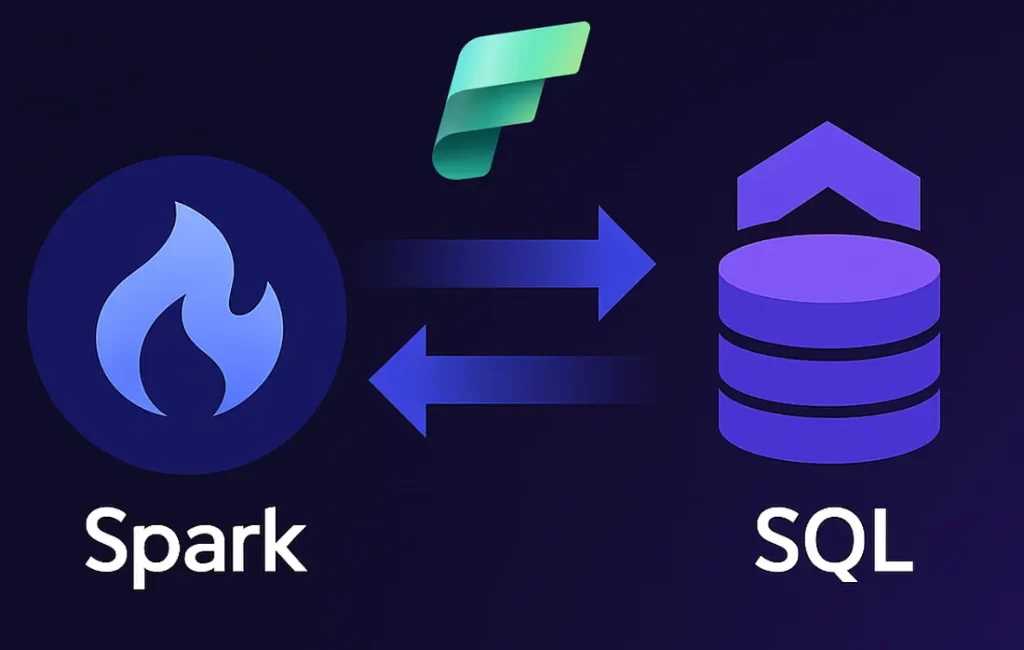
The Spark Connector enables Apache Spark to read data from and write data back to SQL databases such as Azure SQL Database or SQL Server. Instead of exporting data manually or duplicating it across systems, Spark can directly interact with relational tables using secure and optimized connections.
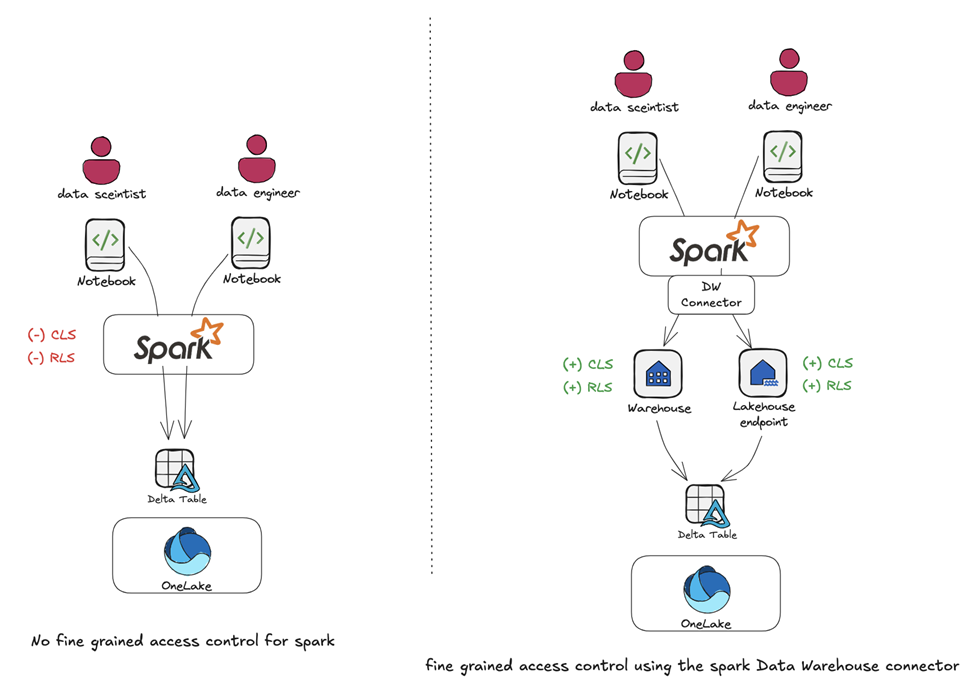
Within Microsoft Fabric, this connector plays a key role by unifying data engineering, analytics, and reporting workflows. Users can access SQL data, process it using Spark’s distributed capabilities, and generate insights that feed into dashboards, reports, or downstream systems.
Key Characteristics
- Direct integration between Spark and SQL databases
- Supports both read and write operations
- Optimized for large datasets and parallel processing
- Works seamlessly within the Microsoft Fabric ecosystem
Advantages of Using Spark Connector
Using the Spark Connector for SQL Databases offers several benefits for organizations handling growing data volumes and complex analytics requirements.
- Scalability:
Spark’s distributed processing engine allows large SQL datasets to be processed efficiently. Queries that may be slow or resource-intensive in traditional SQL environments can be handled more effectively in Spark.
- Simplified Data Pipelines :
The connector reduces the need for complex ETL workflows. Data can be accessed directly from SQL databases, minimizing duplication and operational overhead.
- Faster Insights :
By enabling Spark-based analytics, organizations can perform aggregations, transformations, and advanced analytics much faster, leading to quicker business insights.
- Integration with Microsoft Fabric :
The connector fits naturally into Microsoft Fabric, allowing processed data to flow into tools like Power BI, notebooks, or data science workflows without friction.
Challenges and Considerations
While the Spark Connector is powerful, it is important to understand its limitations and considerations before adopting it.
- Complexity
Compared to traditional SQL querying, Spark-based processing introduces additional layers of configuration and monitoring. Teams need some familiarity with Spark concepts to use it effectively. - Resource Usage
Spark workloads can be resource-intensive, especially for large datasets. Proper capacity planning and performance monitoring are essential. - Database Load
Reading large volumes of data from SQL databases can impact database performance if not optimized with filters, partitioning, and scheduling.
Hybrid Analytics Approach
Many organizations adopt a hybrid analytics approach when using the Spark Connector. In this setup:
- SQL databases continue to handle transactional workloads
- Spark processes large-scale analytical and transformation workloads
- Microsoft Fabric orchestrates the end-to-end data flow
This approach ensures that operational systems remain stable while analytics workloads scale independently.
Best Practices for Using Spark Connector
To get the most value from the Spark Connector, organizations should follow a few best practices.
- Filter Data Early: Limit the amount of data read from SQL databases by applying filters at the source.
- Use Partitioning: Enable parallel reads for large tables to improve performance.
- Monitor Performance: Track Spark job execution and database load regularly.
- Ensure Security: Use secure authentication methods and encrypted connections.
- Align with Business Needs: Not all workloads require Spark; use it where scale and complexity justify it.
Choosing When to Use Spark Connector
The Spark Connector is ideal when:
- Large volumes of SQL data need to be processed or transformed
- Advanced analytics or machine learning is required
- Data needs to integrate with other Fabric services
For simpler reporting or small datasets, traditional SQL queries may still be sufficient. The key is aligning the tool with the workload requirements.
Conclusion
- The Spark Connector for SQL Databases in Microsoft Fabric simplifies the integration between SQL systems and scalable analytics.
- It allows organizations to process large relational datasets using Apache Spark without complex ETL, enabling faster insights and more efficient data pipelines.
- When used strategically alongside transactional databases, it supports a balanced, hybrid approach that keeps operations stable while scaling analytics effectively.
Ready to Unlock Scalable Analytics in Microsoft Fabric? click here. | Redirects to homepage
Contact OnPoint Insights today to discover how we can help you design and implement intelligent, scalable data architectures in Microsoft Fabric. From SQL modernization to Spark-powered analytics and AI integration, our experts ensure your data ecosystem is built for performance, governance, and future growth.
Whether you’re optimizing existing SQL workloads or building advanced analytics capabilities, we help you bridge operational systems with enterprise-scale intelligence.
For more expert insights, explore the OnPoint Insights Blog, where we share practical strategies, architecture guidance, and real-world approaches to building modern data platforms.
Explore OnPoint Insights | Redirects to homepage | Read More Blogs